
Introduction
Initially, when I started writing this article, I wanted to write about how to work with each tool that I am personally familiar with and use. But then I decided: firstly, all the tools are very similar, and secondly, even a first-grader could master most of them, which is why the article is written as it is now.


OSINT
OSINT – Open Source Intelligence. It is a very effective way of learning information about a person.
The reality of today is that those who want to learn more about you no longer need to spend a long time collecting it from various physical sources. You write a dossier on yourself in your social networks, with comments under friends' posts, etc. An intelligence gatherer only needs to analyze the entire volume of information you provide and structure it.
So, now we will talk specifically about OSINT methods and tools. I suggest we don't delay and get started right away.
How does it all work?


In fact, all OSINT boils down to simply analyzing all the information about a person available on the internet. Surprisingly, to do this, you first need to find it, and there are two ways: manual search and automation.
Manual information search is rarely relevant, only when you need to perform a search on very specific sites or on sites that are not analyzed by available tools (or if you need to analyze one or two sources and it makes no sense to use tools).
In an automated search, there is an intermediary between you and the search process — your framework. It is the one that performs the search across hundreds of different sources, providing you with the information obtained. All you need to do is analyze and structure it, as well as draw conclusions (although programs are now gradually taking over this function).
Overall, it's clear even to a fool that automation is much better. For example, one of the best tools for searching by nickname (it's called snoop and we'll talk about it later) searches at least 500 sources. You would do this manually for about an hour and a half, while the program takes less than two minutes.
As we have already understood, all operations can be performed with a simple Google search, but OSINT tools are much more convenient. Let's take a look at what tools are available.
Tools for OSINT

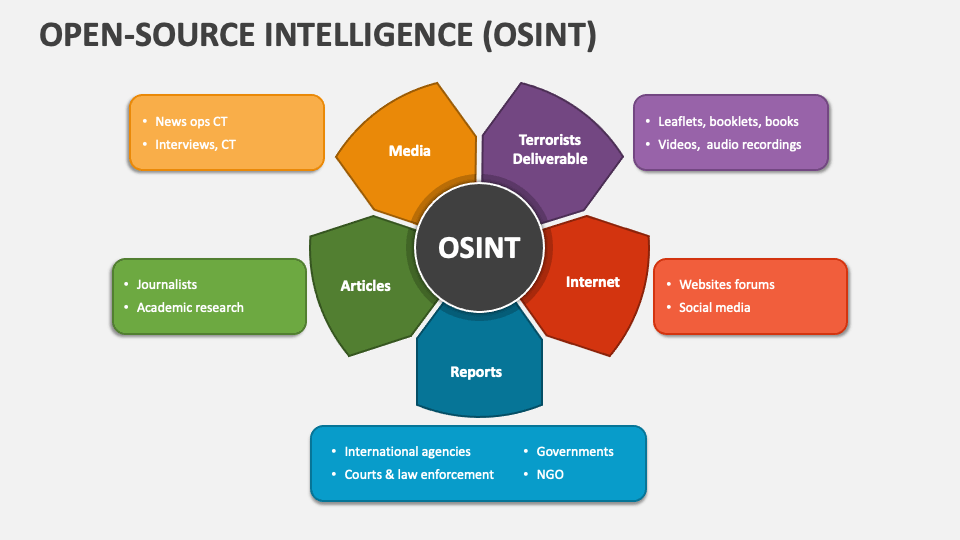
The main tools for open-source intelligence are tools for:
Information gathering;
Analysis and visualization (especially useful if you are conducting a full-fledged investigation);
Monitoring the appearance of new information anywhere (useful if you use social media for intelligence and the target is active on them);
Analyzing websites and searching for vulnerabilities on servers (this is a separate large topic that I will not cover in this article);
Information Search
So, let's start with the simplest (but not always) thing - information search. In general, there are many different options for what we might be given. It can be anything from a photo of a car to some personal data.
In fact, if you know the target's real name, you can easily find them on social media (with very rare exceptions), and then you will find out everything about who the target communicates with, where they live, etc. Even if the target's profile has no photos but has at least one friend, you can still find out at least the city of residence, and under certain favorable conditions — everything, down to the house and floor.
Once you know the nickname on at least one social network, you can try to find the same person on other social networks, as most people tend to use similar usernames on different services.
Regarding tools for searching by name and nickname:
Maryam — like everything else in this collection — is an open-source tool. In principle, it is one of the most multifunctional search tools I have ever used. It is well-suited for searching by real name and by nickname. Available on GitHub.
Snoop — I've mentioned it before. Snoop is truly one of the fastest and most powerful tools for searching by name. It uses about 500 sources to gather information. The tool is open-source, but there is also a paid version that simply uses more sources for information gathering.
Alfred — a utility for gathering information and identifying accounts on social networks. I learned about this program not too long ago and don't have much experience using it.
That's all for tools specifically for searching by name (from what I've used).
Now let's talk a bit about searching by image. As I said before, people have not only written dossiers on themselves, but many have also attached a large volume of their photos. And we can use this to find a person, even if we don't know their name yet, but we have at least one photo of them.
A tool that I have personally used and am quite satisfied with is: search4face.com. It finds people by photo (mainly from profile pictures) on VK, TikTok, and Odnoklassniki relatively quickly and conveniently. Anyone can figure out the interface. I can't say anything more about it.
Note
* I wanted to write about some other tools here, but I couldn't find any others that were as convenient (I mean those where you don't have to register and/or pay). If you know of any, please PM me, and I will add them here. Thank you.
Next, no less important is location search, i.e., when we have a couple of photos and we need to find out where they were taken. The choice of tools here is very large; in fact, you can even use a simple Google Maps, but there are more convenient tools:
2gis — is well-suited for searching for small businesses, as it even marks the boundaries of premises inside the building where the company is located.
DualMaps — in short: it's just Google Maps from two different angles and Google Street Viewer. This can be useful, for example, if you can't use a second monitor and switching between windows is inconvenient.
demo.f4map — a well-detailed 3D map. It can be useful if you need to 'peek' into a courtyard or look at the city in 3D. By the way, in some cases, it's a more detailed map than even Google Earth.
Now, a little about searching by Email:
haveibeenpwned.com — checks if an email is in leaked databases;
Ghunt — searches for information about the owner of a Google account;
In addition, Maryam (which we talked about above) has some capabilities for searching by Email.
Also, let's not forget about searching by phone number, it's simple here: PhoneInfoga — one of the best programs for this. I won't dwell on it; I think everyone knows how to use Google.
That's it for the tools. If I forgot something, PM me, and I will definitely add it.
Structuring and Analyzing the Obtained Information
After gathering information, it needs to be properly structured and analyzed. Several tools can be used for this:
Personally, I like to represent information as a graph, like in detective stories (a board with clues). For this, I like to use Obsidian. It is well-suited for building graphs and representing any kind of knowledge, so it will work for this as well.
And another program, which unlike the previous one is only available on Windows and Mac — TheBrain. I don't like it as much as Obsidian, although I haven't used it very much.
Besides this, it is sometimes convenient to collect data in tables, but I don't think I need to elaborate on that here.
Analysis and Monitoring of Social Networks
A good analysis of social networks can be useful, for example, if you need to get to know someone's social circle and interests better. Here, the most common and simple tools that search for mentions of a person or a topic on social networks can help us:
Social Searcher — a free tool for monitoring social networks. It is essentially a special search engine that looks for mentions of whatever you tell it to. The only problem is that it doesn't work on Russian social networks (like VK).
Google Alerts — notifies you about the appearance of specified information on the internet. You can use this tool both for yourself (to monitor information about yourself) and for your target.
Regarding search tools — that's all I can say.
Practice


OSINT is largely a practical activity. This skill needs to be practiced, and now I will tell you where and how.
Try to conduct your own investigation. You can try to find out information about one of your acquaintances, etc. This will be good practice, as it will essentially be a real case.
Codeby.games — a good service where, among other tasks, there is also an OSINT category. There are a wide variety of tasks, both complex and simple.
Osint Tasks Bot — a Telegram bot that gives and checks OSINT tasks, mainly — searching on maps and on location (it works a bit clunky, but it has my favorite thing - location search tasks).
These are the main methods I use for practice. I believe the most effective and realistic one is the first (conducting an investigation), as it allows you to fully experience OSINT.
This concludes our selection of tools for open-source intelligence. A big thank you to everyone who has read this far.
This is the end of the article. If I forgot something or made a mistake somewhere - write in the comments or PM me.
From the author:
Thank you for reading the article to the end. I hope it was useful to you and saved you time. If you want to influence the release of future articles, you can subscribe to my Telegram channel, where there will be polls regarding the release of new articles as well as various interesting materials. If you want to contact me or suggest a topic for an article - my contact information is on the website.
Thanks again for reading this far!
Good luck!