
Lately, articles have been coming out about how to watch torrents on a TV. I read them and realize that the topic is not fully covered; people suggest putting in maximum effort for the bare minimum.
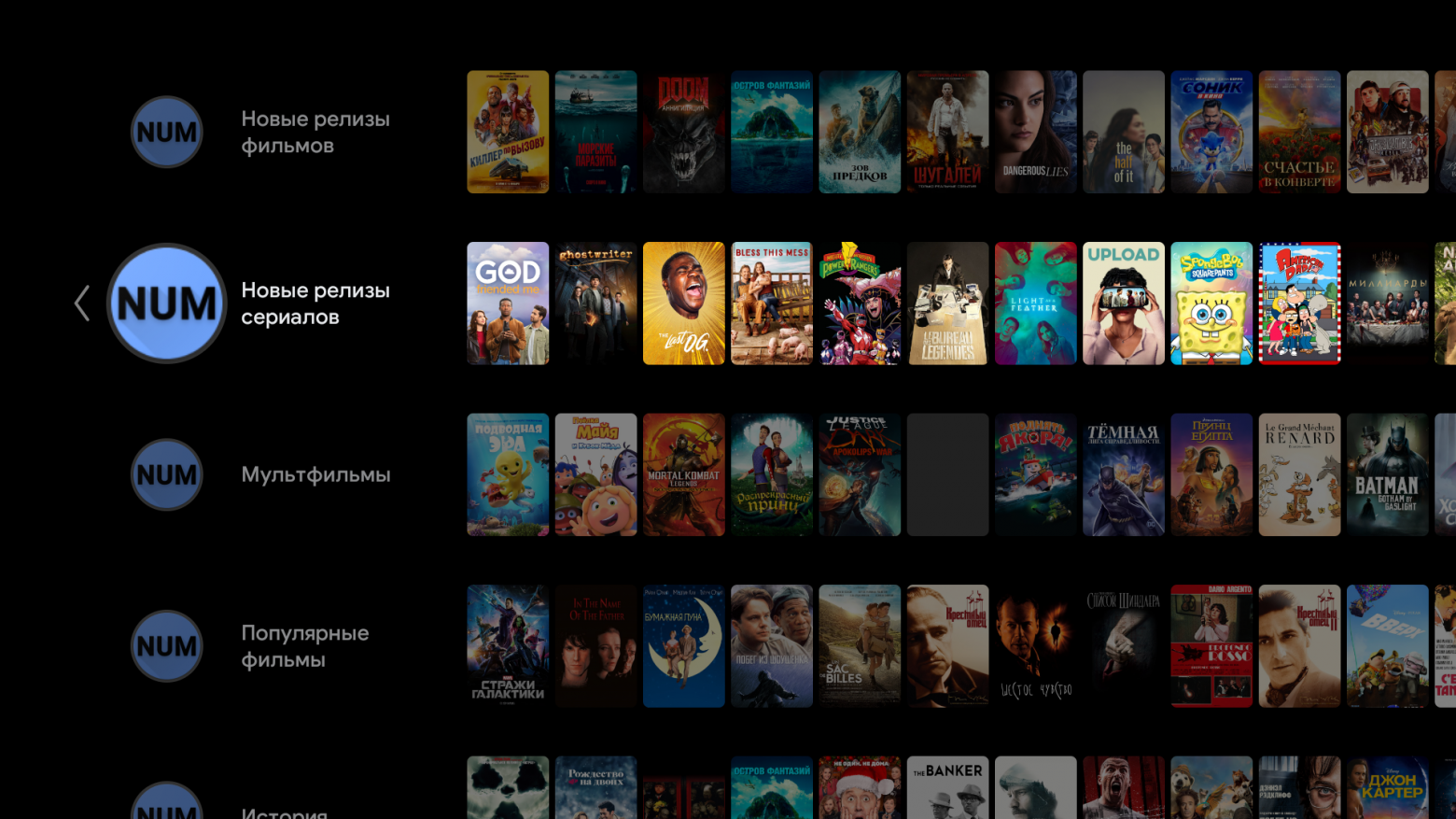
What do you need for watching movies at home, and how does it work for me? I turn on the TV, press a button on the remote, say the movie title, choose the torrent quality, and watch. Or I watch new releases on the main screen, choose a torrent, and watch.
To do this, you need an Android TV box (AOSP will also work). We install the TorrServe client on it, and within it, we install the TorrServe server. We install the NUM program, which will provide descriptions of movies and torrents, and that's it.
A good internet connection and router are highly recommended for large movies over 50 GB.
TorrServe and TorrServer
The server itself handles downloading the torrent to the cache and serves it via HTTP. You can configure the cache size to suit your system and speed.
Here, a problem arises: Android boxes think they are phones and start saving battery. That is, they close all background processes that, in their opinion, consume too many resources. Apparently, the roots of Chinese Androids are making themselves known.
On weaker devices, you need to set a smaller cache, but you need speed. On more powerful ones, you can set a larger cache.
The server is installed in the client on Android, but you can also install the server on Linux systems, even on a VPS. This is what people do who don't have an Android device or a PC, but have a Tizen or WebOS TV.
My server is running on an H96 max x3 box with Armbian on board. It has all the programs I need for work and viewing. A cheap mini ARM server, I specifically bought the cheapest and, so to speak, most powerful one.
For viewing, I use an Amazon FireTV Stick 4K; it was a great fit in terms of price-quality ratio. The remote is a dream, small and convenient, the buttons don't click, voice recognition is excellent, and the TV finds itself with the help of the stick. The sale price was $25, and the picture quality is better than on Amlogic boxes.
My router is a MikroTik hAP ac2, it handles the entire load. I can watch movies with a bitrate close to 100mbit/s, which is 70-100 gigabytes. But I mostly watch files that are 5-30GB.
NUM
So we have a way to watch torrents, but how do we find them conveniently?
It all started when Yuri Yuryev created NCR. On Habr, there was an article about it. It featured a revolutionary search and sorting system for torrents.
In short, it searches for good torrents from the last month and sorts them by the most recently added in high quality. At that time, we had a group of like-minded people, and we didn't like NCR's interface, and many asked for a mobile version. We asked the author to make the program more user-friendly and more familiar to Android users. But the author refused. We decided to follow his concept but make it more universal and familiar. We got together with programmers; one guy made a client based on his own developments. Another guy took and reworked the parser from Yuri from GitHub; in the end, he completely rewrote it, and I helped fix bugs and add new features. In the end, everyone wanted to do it quickly, but I was interested in making it universal, so I didn't participate much and decided to make my own creation - NUM. As a result, the guys made the program in a month and then gradually fixed bugs and improved the functionality.
The idea was for the program to use the Android TV interface. The search was supposed to be on the main screen, showing only the movie description and a list of torrents. Channels for displaying new releases were based on a slightly simplified algorithm from Yura.


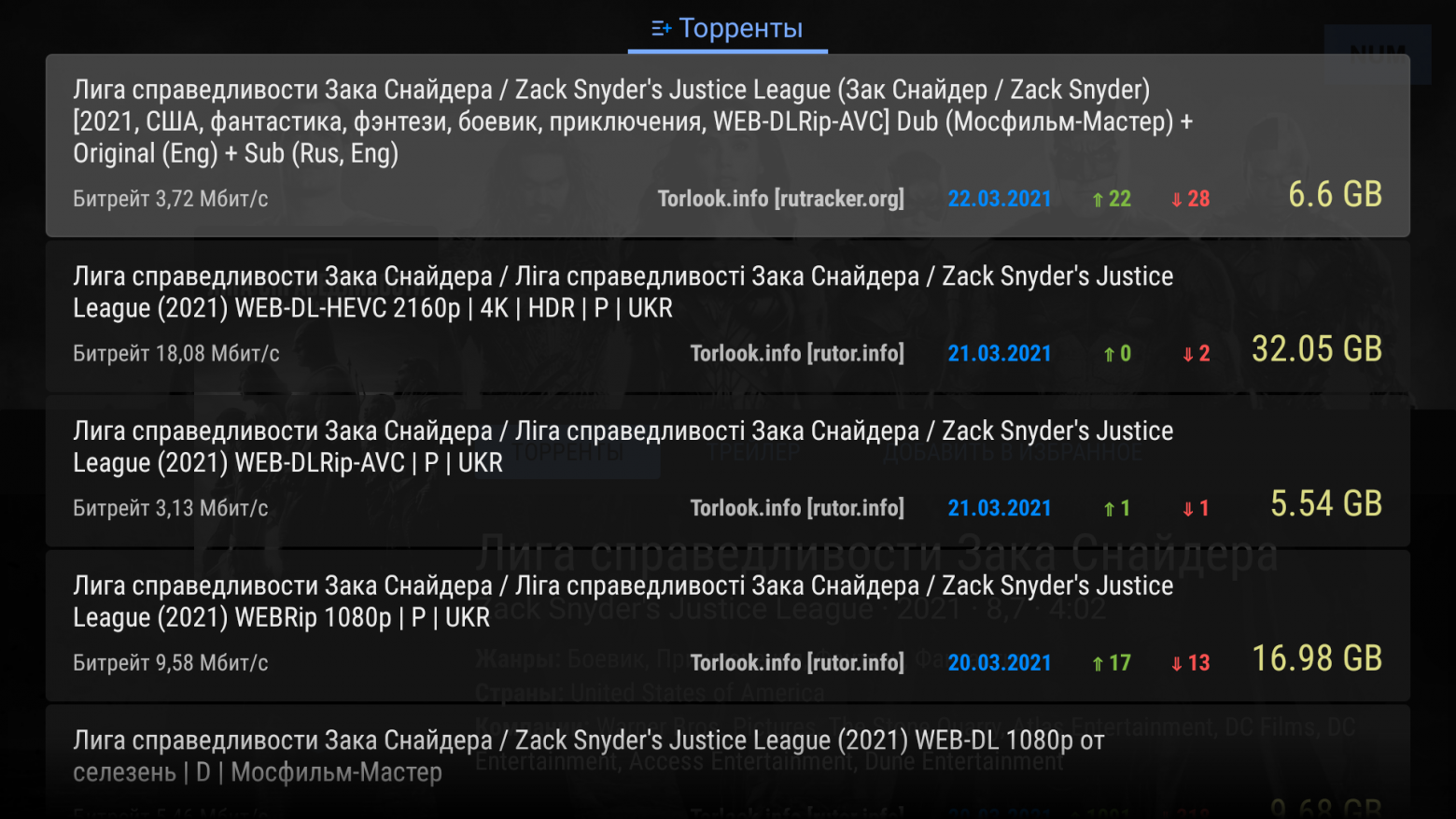
But all this evolved into a full-fledged search and its own interface, with collections from other sites and torrent searches on rutor and torlook. In the beginning, I was making the program alone, then a guy joined me (Tsynik, thanks for the help), he cooked up the entire interface, and I mostly did the functionality and the parser.
In conclusion
To enjoy movies, you don't need to create a monster from incomprehensible code or stuff a PC under the TV, which will drown out all the sound with its noise.
You can buy a good set-top box, my choice is the Ugoos AM6, install TorrServe and other programs that provide torrents, and enjoy. And you can tuck the box behind the TV itself.
For a budget option, any box with an Amlogic X3 processor and a 1000mbit LAN port will do. But they have their own glitches, although you can most likely flash it with Ugoos firmware.
Useful links
Links to source code and the programs themselves
TorrServe: https://github.com/YouROK/TorrServe
https://github.com/YouROK/TorrServe/releases
TorrServer: https://github.com/YouROK/TorrServer
https://github.com/YouROK/TorrServer/releases
NUM apk: https://github.com/yourok-0001/releases1/tree/master/num/release
Website showing data from NUM without torrents: