
In this guide, we will install the v2rayA package on OpenWRT using the stable 23.05.0. A router with at least 128 MB of RAM (256 is preferable) and more than 16 MB of storage is recommended (the installation takes about 30 MB of storage).
v2rayA is a simple-to-use and powerful client focused on Linux. Despite its name, the current version uses xray-core, although it's also possible to use v2ray-core. It has a web interface for managing settings and importing configurations and subscriptions. It supports everything that xray-core supports:
Shadowsocks (incl. 2022), ShadowsocksR, Trojan, Vless (including XTLS-Reality), Vmess, Juicity, Tuic
UPD 11/27/2025: version 2.2.7 added support for XHTTP
The guide will include:
Installation from the repository
Configuring v2rayA and bypassing blocks using Re:filter or Antifilter GeoIP, Geosite
1. Installing v2rayA
Versions starting from 19.07 are supported. I haven't tested it on 18.06, but it might work there as well.
Using 23.05.0 as an example:
Install the repository's public key and add it to the OPKG lists:
wget https://downloads.sourceforge.net/project/v2raya/openwrt/v2raya.pub -O /etc/opkg/keys/94cc2a834fb0aa03
echo "src/gz v2raya https://downloads.sourceforge.net/project/v2raya/openwrt/$(. /etc/openwrt_release && echo "$DISTRIB_ARCH")" | tee -a "/etc/opkg/customfeeds.conf"
v2rayA is also available in the official OpenWRT repository, but the minimum working version at the moment is 2.2.4-1, the others will not be able to download geoip and geosite from the project's website and will be stuck in an endless error.
Next, update the package list:
opkg update
Install the packages:
opkg install v2raya xray-core kmod-nft-tproxy iptables-nft
Next, you can choose the so-called silent installation - v2rayA management will only be available through the web interface on port 2017.
or install the luci-app-v2raya package and manage v2rayA startup through LuCI:
opkg install luci-app-v2raya
After successful installation, proceed to launch:
uci set v2raya.config.enabled='1'
uci commit v2raya
/etc/init.d/v2raya enable
/etc/init.d/v2raya start
Next, go to the v2rayA control panel of your router, for example, http://192.168.1.1:2017.
You might see a message:
Downloading missing geoip.dat and geosite.dat; refresh the page later. 正在下载缺失的 geoip.dat 和 geosite.dat,请稍后刷新页面。
In this case, you should wait a bit, then reload the page:

You will be prompted to create a separate login and password to manage v2rayA.
Enter the details, remember them, and click Login.
2. Configuring v2rayA and bypassing blocks using Re:filter and Antifilter GeoIP, Geosite
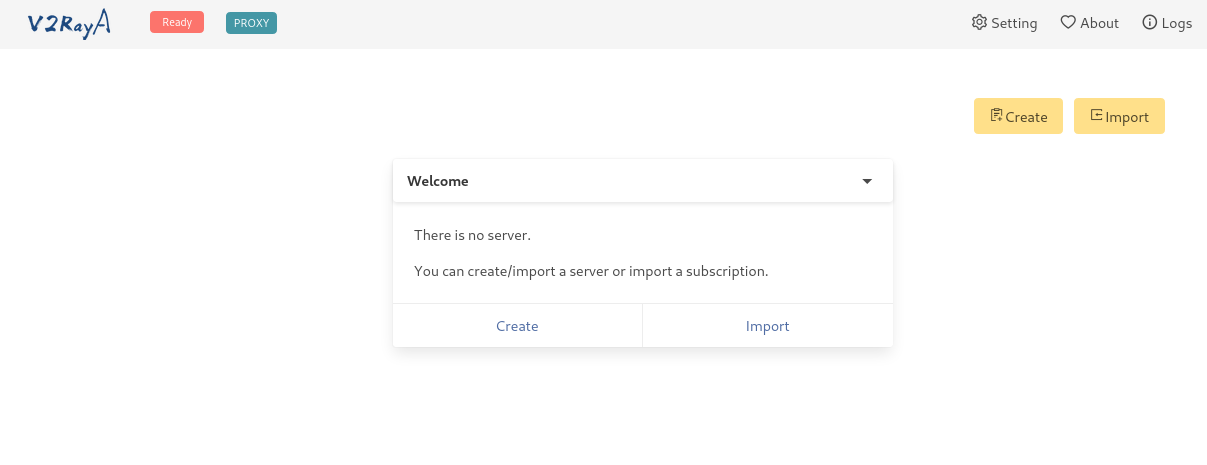
Next, you can import (Import) your config to connect to the proxy as a link or click Create and enter the necessary data manually.
Next, go to the Setting menu:
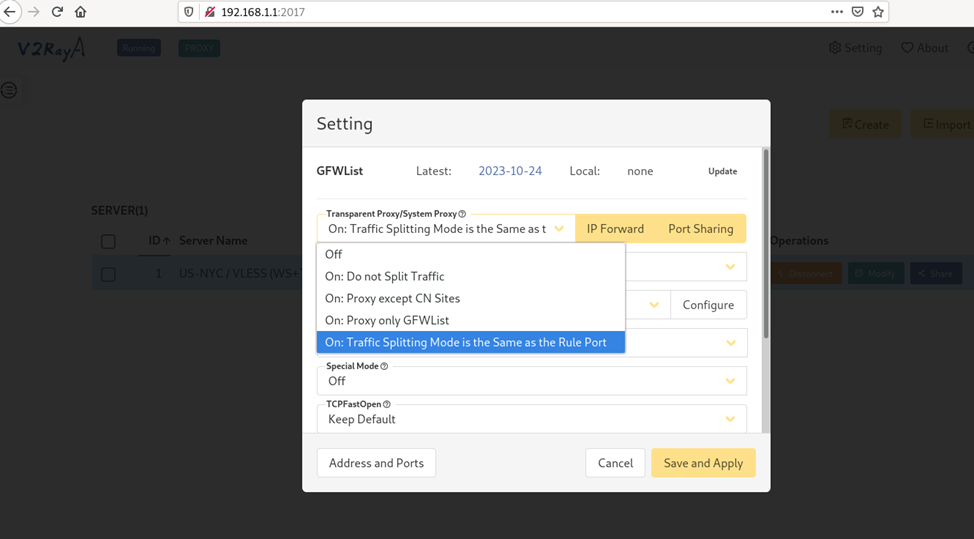
To bypass blocks using Re:filter lists (2.1) or Antifilter (2.2), we need to set the following v2rayA settings:
UPD. 10/13/2024 - added settings for Discord, protection against DNS spoofing
Transparent Proxy / System Proxy: On : Traffic Splitting Mode is the same as the Rule Port
Transparent Proxy / System Proxy Implementation: tproxy (works with TCP and UDP, but doesn't work with Docker) or redirect (works only with TCP (Discord voice will not be proxied), but works with Docker
Traffic Splitting Mode of Rule Port: RoutingA
Prevent DNS Spoofing: Advanced Setting and enter your desired DNS servers (Prevent DNS Hijack Only (fast) - doesn't always work with DNS spoofing, it's better to use Advanced Setting)
You can use the pre-installed DNS servers or replace them with your usual ones (Google, Cloudflare)

Special Mode - Off
TCPFastOpen - Keep Default
Multiplex - Off (if the router has enough resources, you can turn it on, more on this at the end of the article)
Automatically Update Subscriptions - Off by default, but if you use configuration subscriptions, you can set the required update interval
Mode when Update Subscriptions and GFWList - Follows Transparent Proxy / System Proxy
Next, go to the Traffic Splitting Mode of Rule Port: RoutingA - Configure section:
2.1 When using Re:filter lists (what it is) :

Delete the content and paste the following lines:
default: direct
# write your own rules below
ip(geoip:refilter)->proxy
domain(ext:"LoyalsoldierSite.dat:refilter")->proxy
These lines contain:
Default policy - direct access through the default gateway (direct, aka bypass in most clients)
if the IP matches the geoip:refilter list - through the proxy
if the domain matches the LoyalsoldierSite:refilter list - through the proxy
These settings are also applicable to many clients based on xray-core, the main thing is to download the necessary lists. More about RoutingA rules here
UPD 12/10/2025
For Viber and WhatsApp to work, add these lines to RoutingA:
port(4244, 7985, 5242-5243, 3478-3497) -> proxy
For Discord calls to work, you need to route UDP traffic on ports 50000-65535 by adding a line to RoutingA:
network(udp) && port(50000-65535) -> proxy
For Telegram calls to work, you need to route UDP traffic on ports 599 and 1400 by adding a line to RoutingA:
network(udp) && port(599, 1400) -> proxy
For Facetime to work, add these lines to RoutingA:
network(udp) && port(16384-16387, 16393-16402) -> proxy
Click Save to save the settings, then click it again and return to the main screen:
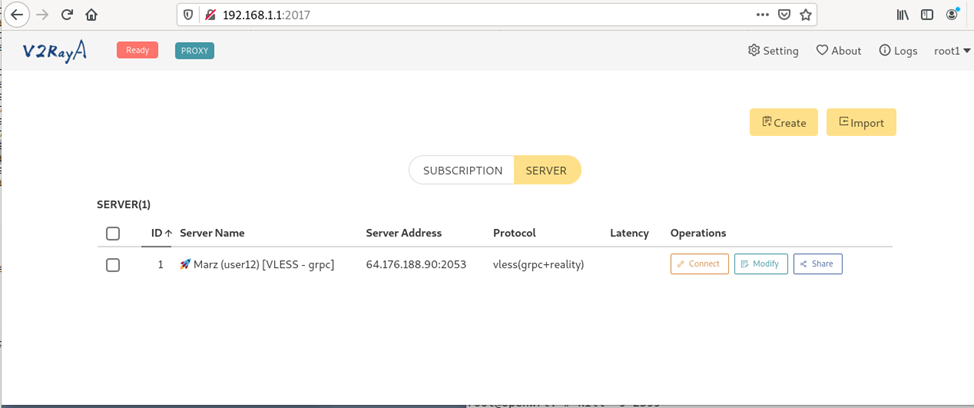
Next, before launching, we need to download the GeoIP and Geosite lists:
wget -O /usr/share/xray/geoip.dat https://github.com/1andrevich/Re-filter-lists/releases/latest/download/geoip.dat
wget -O /usr/share/xray/LoyalsoldierSite.dat https://github.com/1andrevich/Re-filter-lists/releases/latest/download/geosite.dat
To save space, you can also clear the existing geosite.dat database
> /usr/share/xray/geosite.dat
If everything downloaded successfully, return to v2rayA:
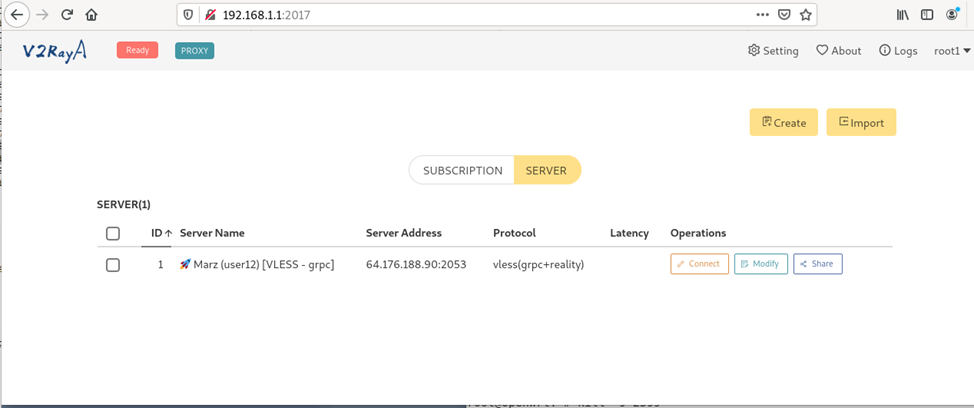
2.2 When using Antifilter.download lists:

Delete the content and paste the following lines:
default: direct
# write your own rules below
ip(geoip:antifilter)->proxy
ip(geoip:antifilter-community)->proxy
#domain(ext:"LoyalsoldierSite.dat:antifilter")->proxy
domain(ext:"LoyalsoldierSite.dat:antifilter-community")->proxy
domain(domain: youtube.com) ->proxy
domain(domain: googlevideo.com) ->proxy
UPD 08/15/2024 Users complain that the Antifilter.download lists do not contain the Youtube domain, so I added two lines to bypass the blocking of youtube.com and googlevideo.com
UPD 09/29/2024 Fixed an error with the LoyalsoldierSite file
These lines contain:
Default policy - direct access through the default gateway (direct, aka bypass in most clients)
if the IP matches the geoip:antifilter or geoip:antifilter-community list - through the proxy
if the domain matches the LoyalsoldierSite:antifilter-community list - through the proxy
These settings are also applicable to many clients based on xray-core, the main thing is to download the necessary lists. More about RoutingA rules here
Click Save to save the settings, then click it again and return to the main screen:
Next, before launching, we need to download the GeoIP and Geosite lists:
wget -O /usr/share/xray/geoip.dat https://github.com/1andrevich/antifilter-geoip/releases/latest/download/geoip.dat
wget -O /usr/share/xray/LoyalsoldierSite.dat https://github.com/1andrevich/antifilter-domain/releases/latest/download/geosite.dat
To save space, you can also clear the existing geosite.dat database
> /usr/share/xray/geosite.dat
If everything downloaded successfully, return to v2rayA:
Click Connect on the selected configuration, then click the Ready button:

You can check if it's working by looking at the v2rayA logs, among other things:
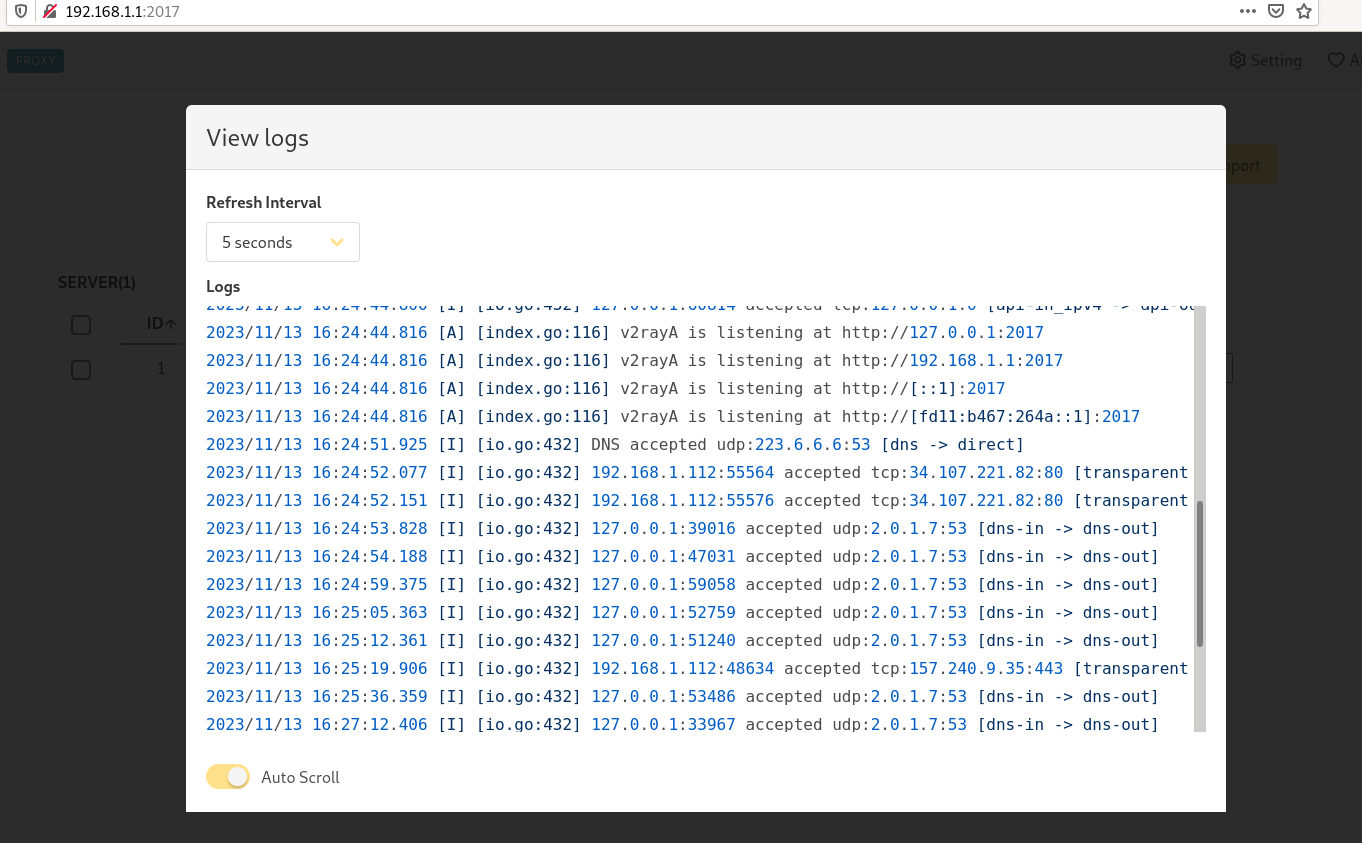
excessive logging can be disabled if you are using luci-app-v2raya (as in the screenshot):

Since v2rayA has built-in GeoIP, Geosite, and GFWList lists (which are hardcoded in the project's code), let's create a script to download the lists we need every 24 hours
Re:filter:
crontab -e
0 5 * * * wget -O /usr/share/xray/geoip.dat https://github.com/1andrevich/Re-filter-lists/releases/latest/download/geoip.dat
0 5 * * * wget -O /usr/share/xray/LoyalsoldierSite.dat https://github.com/1andrevich/Re-filter-lists/releases/latest/download/geosite.dat
or
Antifilter:
crontab -e
0 5 * * * wget -O /usr/share/xray/geoip.dat https://github.com/1andrevich/antifilter-geoip/releases/latest/download/geoip.dat
0 5 * * * wget -O /usr/share/xray/LoyalsoldierSite.dat https://github.com/1andrevich/antifilter-domain/releases/latest/download/geosite.dat
If you need to route external traffic to v2rayA, you can install tun2socks using chapter 5 of these instructions, the only difference will be the Socks5 proxy port, which for v2rayA is 20170 by default.

To disable v2rayA:
/etc/init.d/v2raya stop
/etc/init.d/v2raya disable
This completes the setup. I want to write separately about multiplexing, in my case, measurements showed no significant difference between having the option on or off, but it might be different under other conditions:

UPD 04/29/2025
If xray-core crashes periodically
You can use a workaround service that will check if the "/usr/bin/xray" process is running every 10 minutes and restart v2rayA if necessary:
create /usr/bin/xray-watchdog.sh :
#!/bin/sh

while true; do
    if ! pgrep -f "/usr/bin/xray run --config=/etc/v2raya/config.json" > /dev/null; then
        logger -t xray-watchdog "xray not running, restarting v2raya..."
        /etc/init.d/v2raya stop
        sleep 5
        /etc/init.d/v2raya start
    fi
    sleep 600  # wait 10 minutes
done
And after that /etc/init.d/xray-watchdog:
#!/bin/sh /etc/rc.common

START=99
STOP=10

USE_PROCD=1

start_service() {
    procd_open_instance
    procd_set_param command /usr/bin/xray-watchdog.sh
    procd_set_param respawn
    procd_set_param stdout 1
    procd_set_param stderr 1
    procd_set_param name xray-watchdog
    procd_close_instance
}
Then, grant execute permissions to the files and start the service:
chmod +x /usr/bin/xray-watchdog.sh
chmod +x /etc/init.d/xray-watchdog
/etc/init.d/xray-watchdog enable
/etc/init.d/xray-watchdog start
For XRay configuration, I recommend these articles: Client programs for undetectable site block bypass protocols: V2Ray/XRay, Clash, Sing-Box, and others / Habr (habr.com) and FAQ on Shadowsocks/XRay/XTLS/Reality/Nekobox/etc. for bypassing blocks / Habr (habr.com)