Pull to refresh
256K+

Development for Windows *

Developing for Microsoft OSs

213,28
Rating
Show first
Rating limit
Level of difficulty

Windows Terminal Preview v0.7 Release

Reading time3 min
Reach and readers2.2K
Another release is out for the Windows Terminal preview! This release is labeled as v0.7 in the About section of the Terminal. As always, you can download the Terminal from the Microsoft Store and from the GitHub releases page. Here’s what’s new in this release:

Windows Terminal Updates


Panes


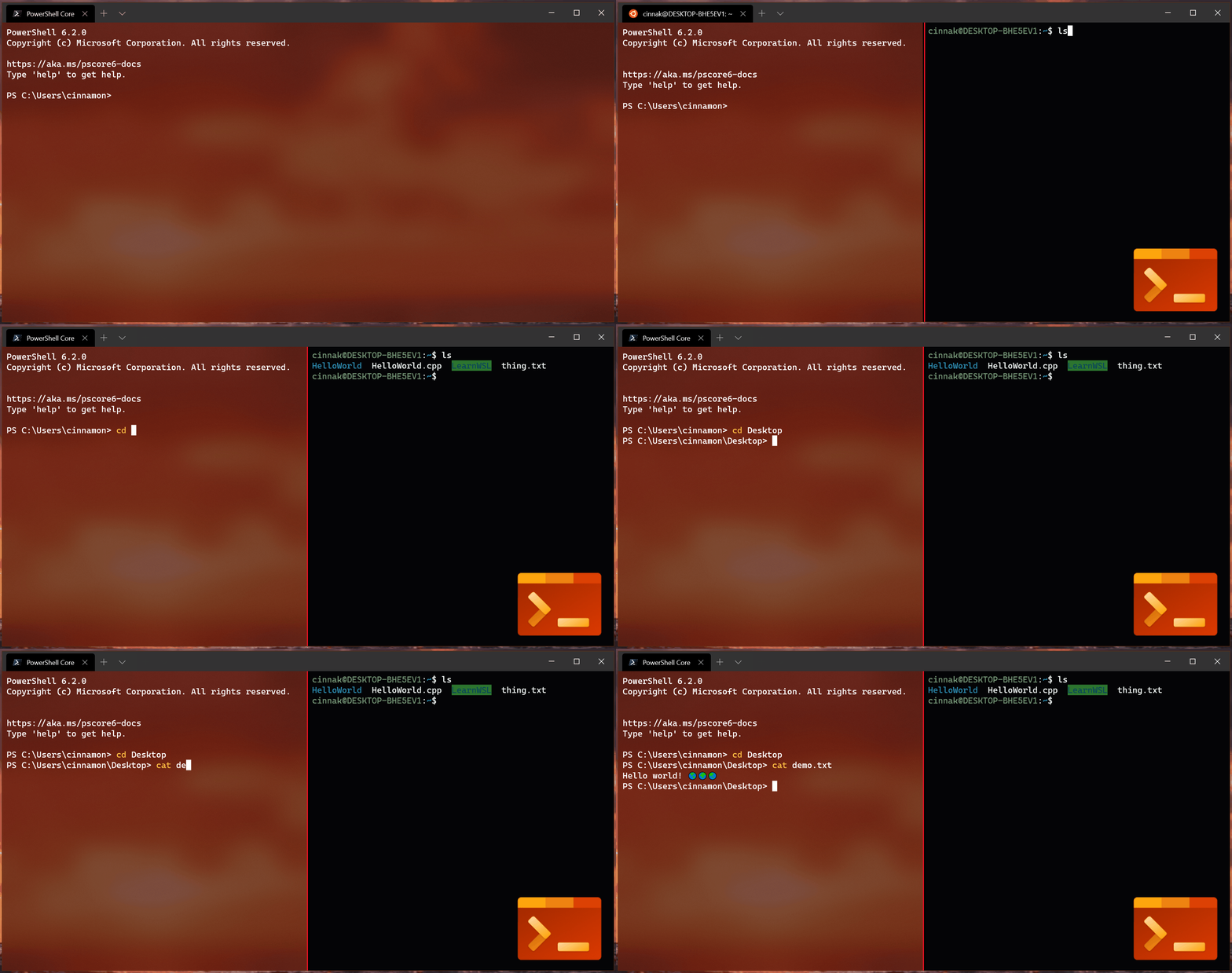
You are now able to split your Terminal window into multiple panes! This allows you to have multiple command prompts open at the same time within the same tab.

Note: At the moment, you’re only able to open your default profile within a new pane. Opening a profile of your choice is an option we’re planning to include in a future release!
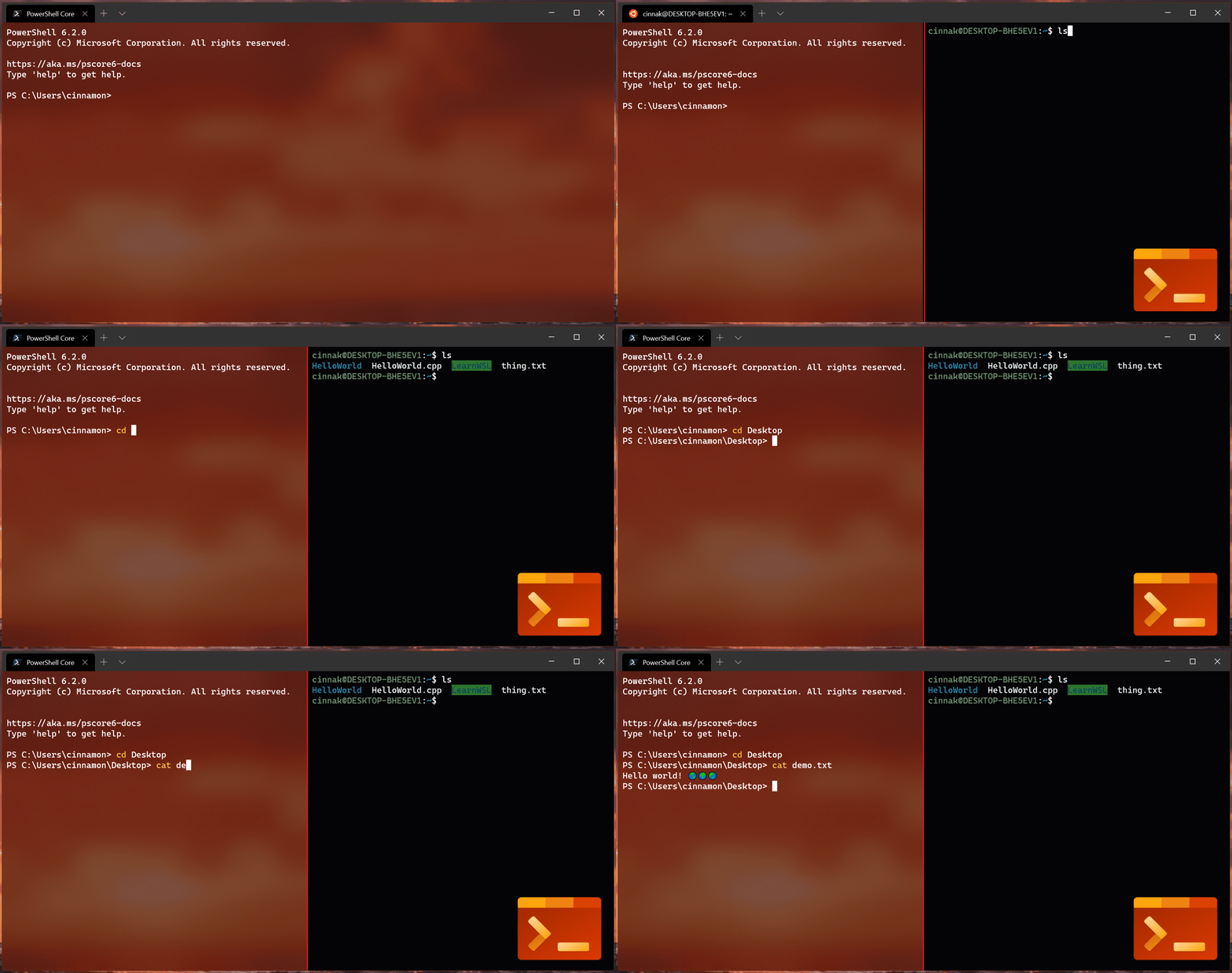


Read more below.
Read more →

Cool WSL (Windows Subsystem for Linux) tips and tricks

Reading time3 min
Reach and readers4.8K
It's no secret I dig WSL (Windows Subsystem for Linux) and now that WSL2 is available in Windows Insiders Slow it's a great time to really explore the options that are available. What I'm finding is so interesting about WSL and how it relates to the Windows system around it is how you can cleanly move data between worlds. This isn't an experience you can easily have with full virtual machines, and it speaks to the tight integration of Linux and Windows.

Look at all this cool stuff you can do when you mix your peanut butter and chocolate!

Read more →

.NET Core 3 for Windows Desktop

Reading time6 min
Reach and readers1.8K
In September, we released .NET Core support for building Windows desktop applications, including WPF and Windows Forms. Since then, we have been delighted to see so many developers share their stories of migrating desktop applications (and controls libraries) to .NET Core. We constantly hear stories of .NET Windows desktop developers powering their business with WPF and Windows Forms, especially in scenarios where the desktop shines, including:

  • UI-dense forms over data (FOD) applications
  • Responsive low-latency UI
  • Applications that need to run offline/disconnected
  • Applications with dependencies on custom device drivers

This is just the beginning for Windows application development on .NET Core. Read on to learn more about the benefits of .NET Core for building Windows applications.

Read more →

Windows Terminal Preview 1910 Release

Reading time2 min
Reach and readers1.8K
Another update to the Windows Terminal has just been released! As always, you can download the Terminal from the Microsoft Store, the Microsoft Store for Business, and GitHub.

Note: In the About popup within the Terminal, this version will appear as v0.6.

Read more →

Now is the time to make a fresh new Windows Terminal profiles.json

Reading time3 min
Reach and readers7.8K
I've been talking about it for months, but in case you haven't heard, there's a new Windows Terminal in town. You can download it and start using it now from the Windows Store. It's free and open source.

At the time of this writing, Windows Terminal is around version 0.5. It's not officially released as a 1.0 so things are changing all the time.

Here's your todo - Have you installed the Windows Terminal before? Have you customize your profile.json file? If so, I want you to DELETE your profiles.json!

Read more →

Azure PowerShell: Mostly Harmless

Reading time17 min
Reach and readers961

Picture 6

Hello, everyone. Today we have another Microsoft project on the check. By the title of this article, you can guess that this time developers didn't «please» us with a large number of errors. We hope the project's authors won't be offended by the title. After all, a small number of errors is great, isn't it? However, we still managed to find something intriguing in the Azure PowerShell code. We suggest getting to know the features of this project and checking out errors, found using the PVS-Studio C# analyzer.
Read more →

PVS-Studio in the Clouds: CircleCI

Reading time11 min
Reach and readers836

Picture 2

This is a new piece of our series of articles about using the PVS-Studio static analyzer with cloud CI systems. Today we are going to look at another service, CircleCI. We'll take the Kodi media player application as a test project and see if we can find any interesting bugs in its source code.
Read more →

Regular Avalonia

Reading time4 min
Reach and readers11K
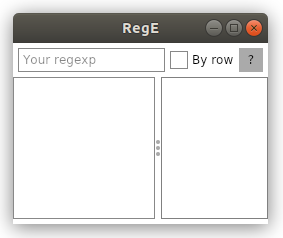
Sometimes we don’t understand how the regular expression that we have composed works and want to check. There are many applications like regex101.com or vs code. I wanted to add one more to this list.

In this article we will see how you can wrap Regex in cross-platform graphics and create a simple application for testing regular expressions.


Read more →

Introducing Cascadia Code font

Reading time2 min
Reach and readers2.1K
Cascadia Code is finally here! You can install it directly from the GitHub repository’s releases page or automatically receive it in the next update of Windows Terminal.


Wait, what’s Cascadia Code?


Cascadia Code was announced this past May at Microsoft’s Build event. It is the latest monospaced font shipped from Microsoft and provides a fresh experience for command line experiences and code editors. Cascadia Code was developed hand-in-hand with the new Windows Terminal application. This font is most recommended to be used with terminal applications and text editors such as Visual Studio and Visual Studio Code.
Read more →

Here’s How to Update Node.js Via Visual Studio, NPM, Windows/Mac

Reading time4 min
Reach and readers104K


I hope that you will find Node version 12 new capabilities compelling and soon you will upgrade your app to it.

In turn, you will get advanced debugging, intelligent coding with the powerful IntelliSense engine, interactive window, quick tracking of performance issues, unit testing, typescript integration, source control, cloud integration, and npm integration.

To get started in this walkthrough, this post captures the steps on how to update Node.js in Visual Studio, Windows/macOS, and NPM.
Read more →

The best is the enemy of the good

Reading time11 min
Reach and readers2K

Picture 6

This article is the story how we once decided to improve our internal SelfTester tool that we apply to test the quality of the PVS-Studio analyzer. The improvement was simple and seemed to be useful, but got us into some troubles. Later it turned out that we'd better gave up the idea.
Read more →

PVS-Studio Usage when Checking Unreal Engine Projects on the Windows OS

Reading time10 min
Reach and readers1.3K

Picture 2

This article focuses on the specifics of checking Unreal Engine projects with the PVS-Studio static analyser on the Windows operating system: how to install the analyser, check a project, where and how to view an error report.
Read more →

Checking the .NET Core Libraries Source Code by the PVS-Studio Static Analyzer

Reading time59 min
Reach and readers1.9K

Picture 19

.NET Core libraries is one of the most popular C# projects on GitHub. It's hardly a surprise, since it's widely known and used. Owing to this, an attempt to reveal the dark corners of the source code is becoming more captivating. So this is what we'll try to do with the help of the PVS-Studio static analyzer. What do you think – will we eventually find something interesting?
Read more →

The story of how PVS-Studio found an error in the library used in… PVS-Studio

Reading time3 min
Reach and readers1.3K

Picture 1

This is a short story about how PVS-Studio helped us find an error in the source code of the library used in PVS-Studio. And it was not a theoretical error but an actual one — the error appeared in practice when using the library in the analyzer.
Read more →

WinForms: Errors, Holmes

Reading time17 min
Reach and readers1.2K

Picture 5

We like to search for errors in Microsoft projects. Why? It's simple: their projects are usually easy to check (you can work in Visual Studio environment for which PVS-Studio has a convenient plugin) and they contain few errors. That's why the usual work algorithm is as follows: find and download an open source project from MS; check it; choose interesting errors; make sure there are few of them; write an article without forgetting to praise the developers. Great! Win-win-win: it took a little time, the bosses are glad to see new materials in the blog, and karma is fine. But this time «something went wrong». Let's see what we have found in the source code of Windows Forms and whether we should speak highly of Microsoft this time.
Read more →

Saving Routing State to the Disk in a Cross-Platform .NET Core GUI App with ReactiveUI and Avalonia

Reading time17 min
Reach and readers10K

image


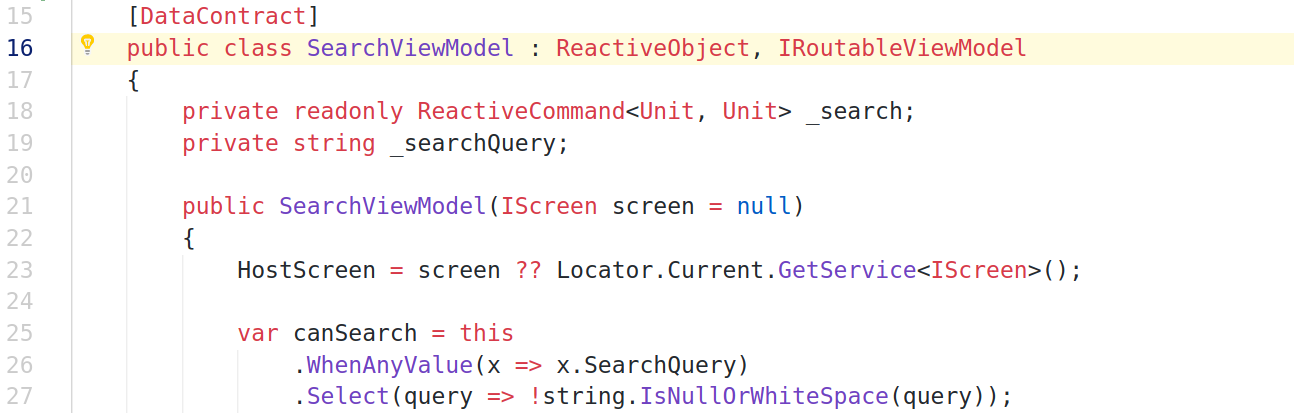
User interfaces of modern enterprise applications are quite complex. You, as a developer, often need to implement in-app navigation, validate user input, show or hide screens based on user preferences. For better UX, your app should be capable of saving state to the disk when the app is suspending and of restoring state when the app is resuming.


ReactiveUI provides facilities allowing you to persist application state by serializing the view model tree when the app is shutting down or suspending. Suspension events vary per platform. ReactiveUI uses the Exit event for WPF, ActivityPaused for Xamarin.Android, DidEnterBackground for Xamarin.iOS, OnLaunched for UWP.


In this tutorial we are going to build a sample application which demonstrates the use of the ReactiveUI Suspension feature with Avalonia — a cross-platform .NET Core XAML-based GUI framework. You are expected to be familiar with the MVVM pattern and with reactive extensions before reading this note. Steps described in the tutorial should work if you are using Windows 10 or Ubuntu 18 and have .NET Core SDK installed. Let's get started! Source code of the app described in this tutorial is available on GitHub.

Read more →