Deep Dive into Animations in Flutter. How a Widget Turns into a Pixel on the Screen
Medium
5 min
Have you ever wondered what actually happens inside Flutter when you press a button and watch a smooth animation?
Have you ever wondered what actually happens inside Flutter when you press a button and watch a smooth animation?
Have you ever wondered what actually happens inside Flutter when you press a button and watch a smooth animation?


Firebase Performance offers a free, comprehensive solution for tracking app performance. As part of the Firebase suite, it provides seamless integration with other Firebase services like Crashlytics, making it easier to manage all performance and crash data in one place. This not only simplifies access but also streamlines team collaboration without the need to manage multiple platforms.


I recently stumbled upon a package called dart_mappable, and I feel compelled to share what I liked about it. If you're involved in Dart or Flutter development, this might be of particular interest to you.

Riverpod is a powerful library that I like to think of as the Swiss Army knife of Flutter development. It offers elegant solutions for both state management and dependency injection, giving you the freedom to "cook" your app architecture just the way you like it.

Code Push in Flutter
In the fast-paced world of mobile app development, the ability to quickly push updates to users is crucial. Enter Code Push - a game-changing technology that allows developers to update mobile apps instantly without going through the traditional app store review process. This article explores how to implement Code Push in Flutter applications using Shorebird, a powerful tool that brings this capability to the Flutter ecosystem.

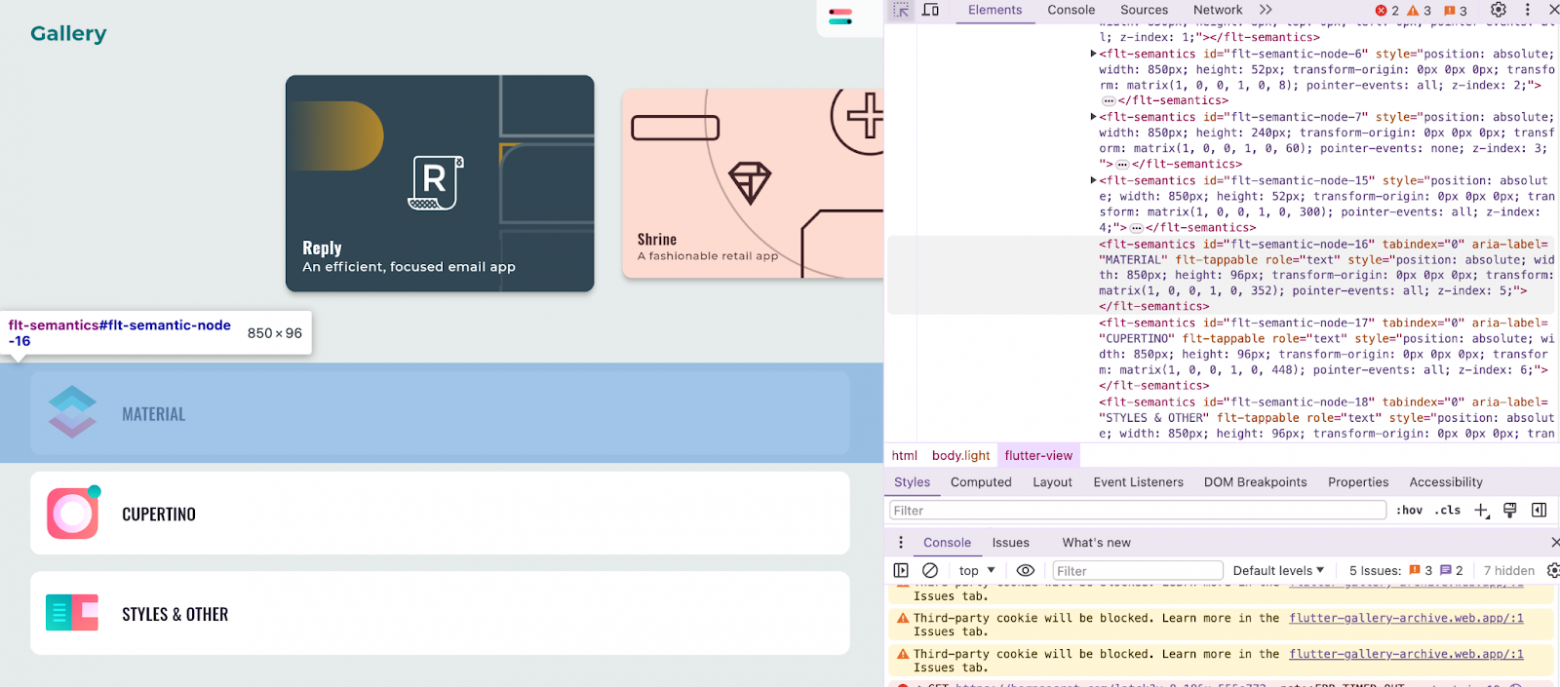
Navigating the intricacies of UI testing in the world of Flutter web applications can be a daunting task. If you've ever found yourself scratching your head, wondering how to apply your Selenium expertise to a Flutter-rendered interface, this article is for you. We're going to explore a method that bridges the gap between Flutter's unique rendering process and the robust testing capabilities of Selenium. Whether you're a seasoned tester or just starting out, the insights shared here will equip you with the knowledge to streamline your testing process and enhance the quality of your Flutter web apps. So, grab a cup of coffee, settle in, and let's unravel the mysteries of UI testing for Flutter web applications together.

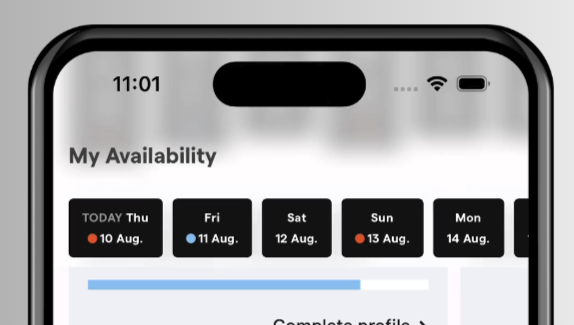
In this article, I will guide you through the process of creating a frosted AppBar with a sliding element beneath it. The final result is presented at the top as it works in the media network application.

Continuous socket connection can be crucial to ensure correct app behavior. Whether it’s delivering real-time chat updates, stock prices, or in-app indicators, a reliable connection is vital.
One of the irritating problems with sockets is a sudden loss of connection. If the true cause is not visibly evident, i.e., unstable internet connection, then the disruption cause is often well hidden. To tackle this issue we can implement an automatic socket reconnection strategy. Let’s see what options we have in the industry-standard socket library for Dart — web_socket_channel.


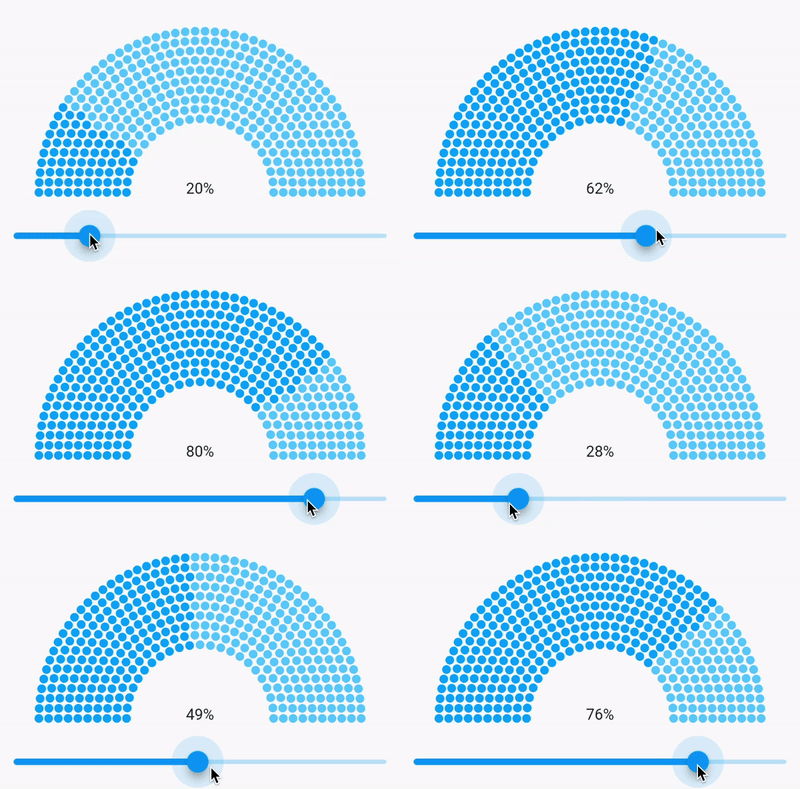
I bet you all had situations when a designer made a cool-looking UI and you just thought “cool, but how to implement this”. The same happened to me when a saw this progress bar in Figma.
Good thing is that in Flutter it’s pretty easy to create custom views and they will look awesome on every platform, but sometimes you just need to remember all these things that you have learned in geometric, and math classes. Yeah, we don’t always change the button’s color as someone thinks :)


This article describes how to develop a real-time weather prediction app in Flutter using the Tomorrow.io Weather API. The app consists of a single screen that displays the current weather and a 4-day daily forecast for a specific location. We’re creating this prediction app on Flutter because it is an open-source UI development kit, which means it can be integrated beautifully into desktop and mobile apps across various platforms, making it scalable.


In my project, I was faced with the need to implement a scroll bar. The standard approaches didn't fully satisfy what designers wanted to see. Here is an example, it is slightly different in appearance from what I needed, but the essence is approximately the same: the scroll bar should be on the right side of the list and take into account the padding of the scroll bar, with the slider displaying the percentage of the scrolled part of the list.

As we all are aware of the fact that the digital market is heavily leaning towards a reliable UX-driven process, app development has become quite complex, especially for targeting the industry for mobile platforms.
For every organization, creating a product that is beneficial for their customer needs always comes up with a plethora of challenges.
From the technical point of time, there are various challenges that every business faces, including selecting the right platform for the app, the right technology stack or framework, and creating an app that fulfills the needs and expectations of customers.
Similarly, there are more challenges that every business faces and needs to cope with while creating its dream product.
So, what to do??
Well, what if I say that the answer to all your queries and questions is Flutter app development with Artificial Intelligence (AI) integration……
Surprised? Wondering how?
Well, AI in Flutter app development is one of the best advancements in the software market. The concept of AI was first introduced during the 20th century with loads of innovations and advancements that we are still integrating into our mobile app development.
But, what are Artificial Intelligence and Flutter app development?

In this article, I’d like to talk about the problems I faced while integrating an API for the HTTP protocol and share my experience in solving them.
- REST vs Non REST architecture
- Ignoring Header Accept: application/json
- Mixing JSON keys case types
- Different response to the same request





Nowadays, stories, like on Instagram, widely uses in apps for displaying news, educational content, and interactions with users.
I created a new plugin that allows implementing full story functionality with only few lines of code.