Pull to refresh
1381.73

Programming *

The art of creating computer programs

Show first
Period
Level of difficulty

SAPUI5 for dummies part 3: A complete step-by-step exercise

Reading time4 min
Reach and readers8K


Introduction & Recap


In the previous blog post, we learned how to filter, sort and group our table. This is a fundamental aspect of every CRUD application because most of the time users have to deal with hundreds of hundreds of records.


What will be covered on this exercise


With Part 3 of this series of blog posts, we will learn how to create a Master-Detail application leveraging the SplitApp UI control and how correctly configure the app’s manifest to handle routes and targets.


  • SplitApp: UI control that allows you to create a Master-Detail application (used as a replacement of the App control)
  • Routing: we will configure the manifest.json to correctly handle the routing of the application
  • ObjectHeader: control that enables the user to easily identify a specific object. The object header title is the key identifier of the object and additional text and icons can be used to further distinguish it from other objects
  • Navigation to a detail view and bind the element context: you will learn how to navigate and open a detail page and bind the current View (of the detail) to a new context
  • List: in the master page we will use a list to display BusinessPartner because we will have less space
Читать дальше →

Trace Compass and GZip

Reading time4 min
Reach and readers1.3K

Trace Compass with GZip

Trace Compass is an open-source application performance analysis framework. It is designed to visualize and analyze traces, which are recordings of events that occur in a software system during its execution. Trace Compass is particularly useful for understanding the behavior, performance, and interactions within complex software systems.

Key features of Trace Compass include:

Trace Visualization: It provides a graphical representation of traces, allowing users to visualize the sequence and timing of events in a system.

Analysis Tools: Trace Compass offers various analysis tools and modules for different types of traces, helping users identify performance bottlenecks, errors, and other issues.

Support for Multiple Trace Formats: It supports a wide range of trace formats from different sources, making it versatile for analyzing traces generated by various software components.

Customizable Views: Users can customize the views and analyses based on their specific needs, allowing for a more tailored and effective analysis process.

Integration with Eclipse: Trace Compass is often integrated with the Eclipse IDE, providing developers with a seamless environment for analyzing and debugging their applications.

Overall, Trace Compass is a valuable tool for developers, system administrators, and performance analysts to gain insights into the runtime behavior of software systems and optimize their performance.

Read more

One does not simply calculate the absolute value

Reading time4 min
Reach and readers33K

It seems that the problem of calculating the absolute value of a number is completely trivial. If the number is negative, change the sign. Otherwise, just leave it as it is. In Java, it may look something like this:


public static double abs(double value) {
  if (value < 0) {
    return -value;
  }
  return value;
}

It seems to be too easy even for a junior interview question. Are there any pitfalls here?

Read more →

The Rules for Data Processing Pipeline Builders

Reading time5 min
Reach and readers4K


"Come, let us make bricks, and burn them thoroughly."
– legendary builders

You may have noticed by 2020 that data is eating the world. And whenever any reasonable amount of data needs processing, a complicated multi-stage data processing pipeline will be involved.


At Bumble — the parent company operating Badoo and Bumble apps — we apply hundreds of data transforming steps while processing our data sources: a high volume of user-generated events, production databases and external systems. This all adds up to quite a complex system! And just as with any other engineering system, unless carefully maintained, pipelines tend to turn into a house of cards — failing daily, requiring manual data fixes and constant monitoring.


For this reason, I want to share certain good engineering practises with you, ones that make it possible to build scalable data processing pipelines from composable steps. While some engineers understand such rules intuitively, I had to learn them by doing, making mistakes, fixing, sweating and fixing things again…


So behold! I bring you my favourite Rules for Data Processing Pipeline Builders.

Read more →

Programming as an endless educational pursuit

Reading time5 min
Reach and readers1.7K
When one embarks on the journey to master the craft of programming, they come to the realisation that it has no finish line. No matter how good you are, there are still things to learn, solutions to explore.

Today, we’ll talk about the importance of remaining a lifelong student, language adoption trends according to StackOverflow and why programming itself might not be what you end up learning to become better.

Read more →

New features for extension authors in Visual Studio 2019 version 16.1

Reading time3 min
Reach and readers1.9K

Earlier this week, we released Visual Studio 2019 version 16.1 Preview 1 (see release notes). It’s the first preview of the first update to Visual Studio 2019. If you’re not already set up to get preview releases, then please do that now. The preview channel installs side-by-side with the release channel and they don’t interfere with each other. I highly recommend all extension authors install the preview.


Got the 16.1 preview installed now then? That’s great. Here are some features in it you might find interesting.

Read more →

Dozen tricks with Linux shell which could save your time

Reading time10 min
Reach and readers9.4K


  • First of all, you can read this article in russian here.

One evening, I was reading Mastering regular expressions by Jeffrey Friedl , I realized that even if you have all the documentation and a lot of experience, there could be a lot of tricks developed by different people and imprisoned for themselves. All people are different. And techniques that are obvious for certain people may not be obvious to others and look like some kind of weird magic to third person. By the way, I already described several such moments here (in russian) .

For the administrator or the user the command line is not only a tool that can do everything, but also a highly customized tool that could be develops forever. Recently there was a translated article about some useful tricks in CLI. But I feel that the translator do not have enough experience with CLI and didn't follow the tricks described, so many important things could be missed or misunderstood.

Under the cut — a dozen tricks in Linux shell from my personal experience.
Read more →

Details

Reading time6 min
Reach and readers1.2K
How often do you get to 404 pages? Usually, they are not styled and stay default. Recently I’ve found test.do.am which interactive character attracts attention and livens up the error page.

Probably, there was just a cat picture, then they thought up eyes movement and developer implemented the idea.imageNow user visits the page and checks out the effect. It’s cool and pleasant small feature, it catches, then user discusses it with colleagues or friends and even repeats the feature. It could be this easy, if not:

Announcing TypeScript 3.3

Reading time5 min
Reach and readers1.3K

If you’re unfamiliar with TypeScript, it’s a language that brings static type-checking to JavaScript so that you can catch issues before you even run your code – or before you even save your file. It also includes the latest JavaScript features from the ECMAScript standard on older browsers and runtimes by compiling those features into a form that they understand. But beyond type-checking and compiling your code, TypeScript also provides tooling in your favorite editor so that you can jump to the definition of any variable, find who’s using a given function, and automate refactorings and fixes to common problems.

Read more →

Announcing F# 4.6 Preview

Reading time10 min
Reach and readers1.7K

We’re excited to announce that Visual Studio 2019 will ship a new version of F# when it releases: F# 4.6!


F# 4.6 is a smaller update to the F# language, making it a “true” point-release. As with previous versions of F#, F# 4.6 was developed entirely via an open RFC (requests for comments) process. The F# community has offered very detailed feedback in discussions for this version of the language. You can view all RFCs that correspond with this release here:


This post will detail the feature set and how to get started.

Read more →

Lifetime Profile Update in Visual Studio 2019 Preview 2

Reading time5 min
Reach and readers1.6K

The C++ Core Guidelines’ Lifetime Profile, which is part of the C++ Core Guidelines, aims to detect lifetime problems, like dangling pointers and references, in C++ code. It uses the type information already present in the source along with some simple contracts between functions to detect defects at compile time with minimal annotation.


Read more →

SAPUI5 for dummies part 2: A complete step-by-step exercise

Reading time4 min
Reach and readers7.7K


Introduction & Recap


In the previous blog post, we started designing our application rendering a table with some Business Partner. We learned what OData protocol is, how to read an OData XML manifest, how to bind data to a Table and how to customize columns layout based on different screen resolution.


What will be covered on this exercise


With Part 2 of this series of blog posts, we will learn how to interact with data in our Tables and List. We will learn how to filter and sort data in a smart way.


  • Create JSONModel to handle local data
  • Set a default sizeLimit to our JSONModel
  • FilterBar: UI control that displays filters in a user-friendly manner to populate values for a query
  • Use XML Fragments to create a View Settings Dialog to handle sort and group data
  • Filter and Sort data
  • Add an Info Toolbar to our table to display useful information
Read more →

[SAP] SAPUI5 for dummies part 1: A complete step-by-step exercise

Reading time2 min
Reach and readers4.1K


Introduction & Recap


In the previous blog post, we have created a new SAPUI5 application on our SAP SCP WebIDE Full stack and we have configured it to use the destination to the SAP Netweaver Gateway Demo ES5.


What will be covered on this exercise


  • What is an XML Metadata Manifest and what’s inside it?
  • How to use our OData Model and bind it into our application
  • Use a sap.m.Table with items and property binding
  • Use sap.ui.model.type.DateTime to format JavaScript Date
  • How to style columns to act differently on mobile/tablet/desktop devices
Read more →

Automation VS Chaos

Reading time5 min
Reach and readers1.5K
image

IT technologies evolution allowed to control huge data flows. Business has a lot of IT solutions: CRM, ERP, BPM, accounting systems or at least just Excel and Word. Companies are different too. Some of companies are composed of plenty branches. Let’s name such as “Pyramid”. Pyramids have data synchronization issue for pile of IT systems. Software vendors and versions differ for branches significantly. In addition management company continuously modify reporting requirements that causes frustration assaults in the branches. This is a story about the project I happened to encounter chaos that needed to be systematized and automated. Low budget and tight deadlines limited the use of most existing industrial solutions but opened up scope for creativity.
Читать дальше →

Langton's ant: a mystery cellular automaton

Reading time4 min
Reach and readers3.9K

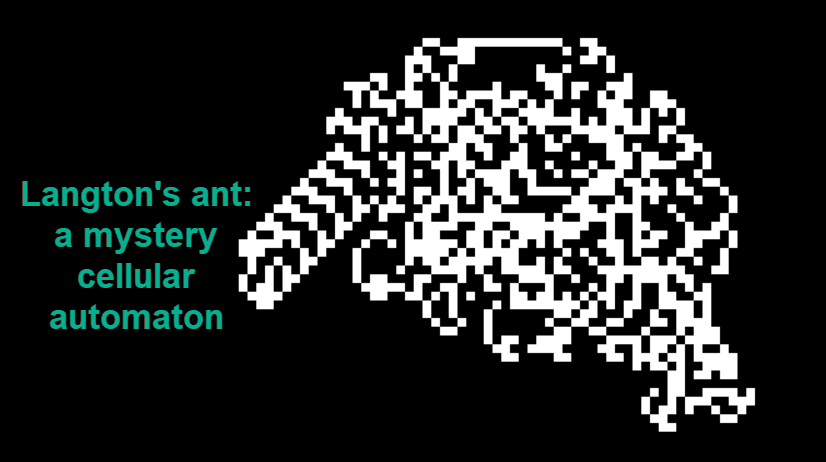
The life of Langton's Ant seems sad and lonely, but, as we'll soon discover, he is not ready to put up with such an outrageous situation and is trying his best to escape. American scientist Christopher Langton invented his ant back in 1986. Since then, no one has been able to explain the strange behavior of this mysterious model...

Read more

How to create bilingual books. Part 2. Lingtrain Alignment Studio

Reading time6 min
Reach and readers4.5K

title


How to make a parallel book for language learning. Part 1. Python and Colab version


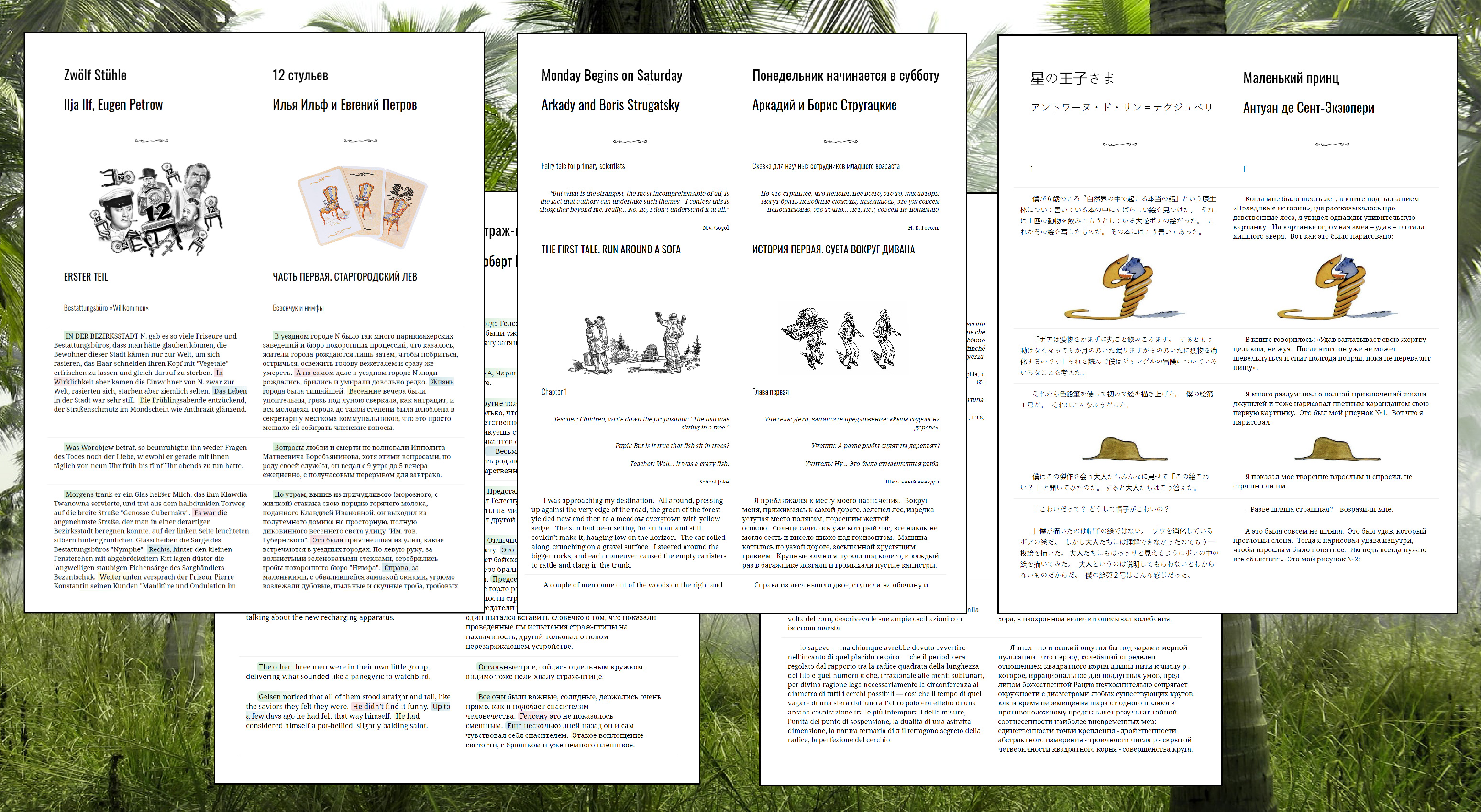
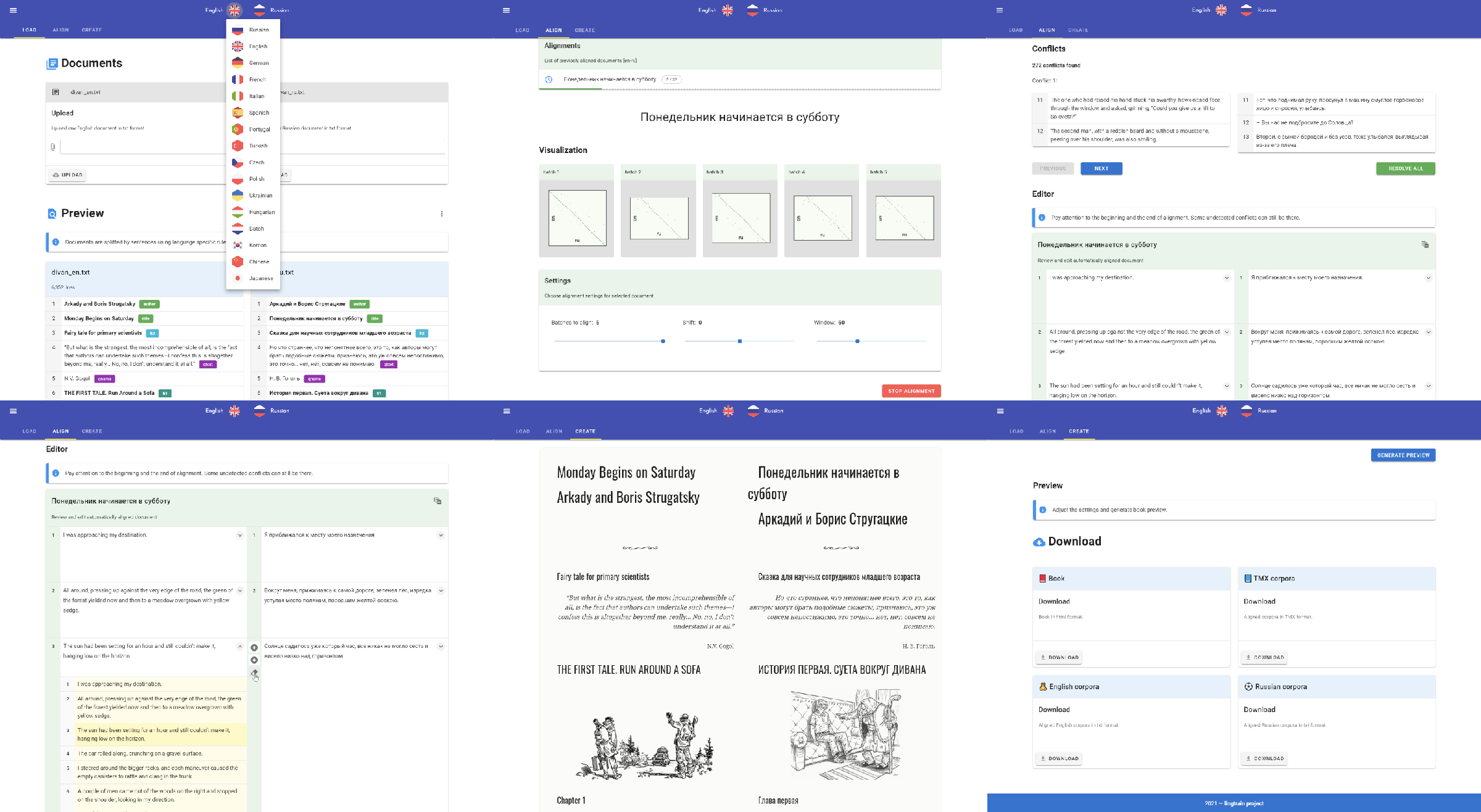
This is a second article on making parallel books. Today we will use the more advanced tool which will bring rich UI functionality. Lingtrain Alignment Studio is a web application written on Vue and Python. The main purpose of it is to extract the parallel corpora from two raw texts and make a bilingual (or even multilingual) parallel book. This is an open-source project and I will be glad to hear all of your bright ideas. Links to the sources and our community contacts can be found below. Los geht's!


Setup


The app is packed into the docker container. It's a simple technology to deploy your stuff anywhere from the server to your local machine. It's available across all the operating systems. So at first, you need a docker installed locally. Then you need to run two simple commands. The first will download the container:


docker pull lingtrain/aligner:v4

And the second one will run the application:


docker run -v C:\app\data:/app/data -v C:\app\img:/app/static/img -p 80:80 lingtrain/aligner:v4

C:\app\data and C:\app\img — your local folders.


The app will be available on the 80th port. Let's open the localhost page in your favorite browser.


Lingtrain app 1


We will make three simple steps: Load, Align, Create

Continue reading

Algorithms in Go: Dutch National Flag

Reading time3 min
Reach and readers3.1K

The flag of the Netherlands consists of three colors: red, white and blue. Given balls of these three colors arranged randomly in a line (it does not matter how many balls there are), the task is to arrange them such that all balls of the same color are together and their collective color groups are in the correct order.

For simplicity instead of colors red, white, and blue we will be dealing with ones, twos and zeroes.

Let's start with our intuition. We have an array of zeroth, ones, and twos. How would we sort it? Well, we could put aside all zeroes into some bucket, all ones into another bucket, and all twos into the third. Then we can fetch all items from the first bucket, then from the second, and from the last bucket, and restore all the items. This approach is perfectly fine and has a great performance. We touch all the elements when we iterate through the array, and then we iterate through all the elements once more when we "reassamble" the array. So, the overall time complexity is O(n) + O(n) ~= O(n). The space complexity is also O(n) as we need to store all items in the buckets.

Can we do better than that? There is no way to improve our time complexity. However, we can think of a more efficient algorithm in regard to space complexity. How would we solve the problem without the additional buckets?

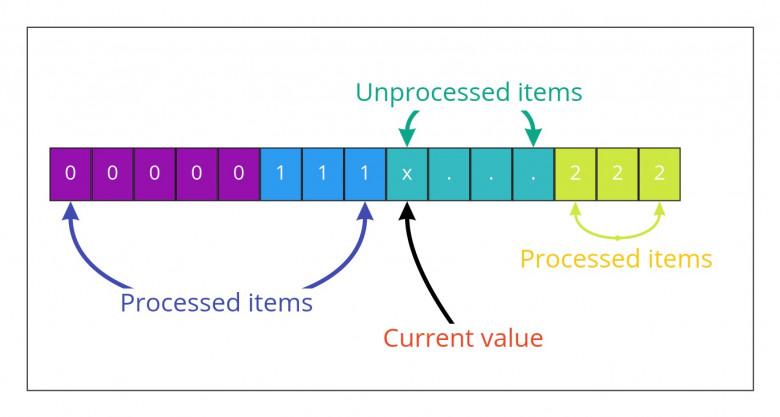
Let's make a leap of faith and pretend that somehow we were able to process a part of the array. We iterate through part of the array and put encountered zeroes and ones at the beginning of the array, and twos at the end of the array. Now, we switched to the next index i with some unprocessed value x. What should we do there?

Read more

Authors' contribution